At BIPO, we understand that deskless employees keep businesses running, yet they are often the hardest teams for HR to support effectively. They work on factory floors, in stores, on job sites, in warehouses, and on the road, often without regular access to a computer. Through our HR services, we help businesses simplify and streamline essential HR tasks for these employees, making it easier to manage day-to-day processes with greater speed, access, and efficiency.
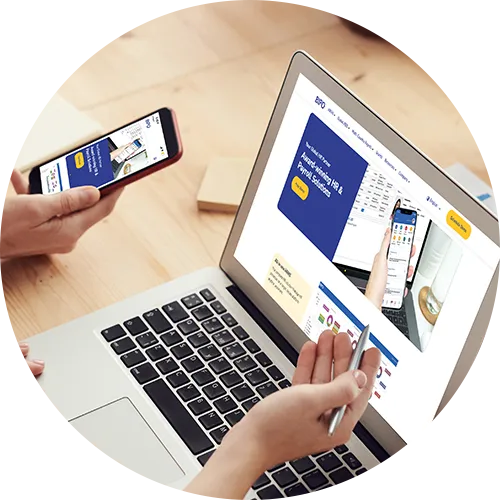
With a well-designed mobile HR app, we help close that gap. At BIPO service, our HR services are built to help businesses manage HR, payroll, attendance, and employee services more efficiently across distributed teams. When businesses evaluate mobile tools for deskless employees, we focus on the features that improve access, reduce administrative workload, and make everyday HR tasks faster and easier to manage.
In this guide, we share the features we believe matter most, the common pitfalls to avoid, and how we help businesses choose a mobile HR app that makes HR tasks simpler, faster, and more effective for deskless employees.
Why Deskless Employees Need a Different HR Experience
At BIPO, we know that deskless work creates very different HR demands from office-based work. Through our HR services, we help businesses support these employees more efficiently by making essential HR tasks simpler, faster, and easier to access wherever work happens.
We see these challenges every day in the businesses we support. A warehouse worker cannot stop mid-shift to log into a desktop portal. A retail supervisor may need to approve leave between customer interactions. A delivery driver may need quick access to payslips or shift details from a phone. Through our BIPO HR services, we help businesses remove this friction by making essential HR tasks easier to access and manage for deskless employees. When HR systems are built mainly for office staff, deskless teams often end up with a slower and more frustrating experience, which is exactly the gap we help our clients close.
That is why, through our BIPO HR services, we design mobile HR around the real working conditions deskless employees face every day, helping businesses manage HR tasks more efficiently and making it easier for employees to access the support they need when and where they need it:
- Short task windows
- Shared or limited device access
- Varying digital confidence
- Time-sensitive updates
- Multiple languages across locations
Next, we’ll walk through the features we believe make the biggest difference, based on how our BIPO HR services help deskless employees and businesses manage HR tasks more efficiently every day.
Ease of Use Should Come First
At BIPO, we have seen that even the most advanced app will fall short if employees find it confusing. Through our HR services, we help businesses choose and implement mobile HR tools that are simple, intuitive, and efficient, so deskless employees can complete essential HR tasks quickly and with less friction.
Simple navigation matters more than extra features
Through our BIPO HR services, we help businesses give deskless employees a faster and simpler way to manage everyday HR tasks. We believe employees should be able to open the app and find what they need within seconds, without getting lost in complicated menus. When common actions are buried or hard to access, adoption drops quickly, which is why we focus on making mobile HR more intuitive, efficient, and practical for both employees and the teams that support them.
Look for:
- Clear home screen shortcuts
- Large, easy-to-read buttons
- Minimal steps for common actions
- Fast login options
- Clean mobile-first design
For example, if an employee wants to request one day of leave, that process should not take five screens and several confirmations.
Training should be light
A good app should not need much explanation. If managers must spend hours teaching teams how to use it, the system is too complex for the job.
Attendance Tools Need to Be Practical
Here’s what matters most: deskless teams need fast and reliable time tracking.
Attendance is often one of the most important mobile HR functions for field, retail, logistics, and operations teams. It affects payroll accuracy, scheduling, and compliance.
Useful attendance features
Look for tools that support:
- Mobile clock-in and clock-out
- GPS-based attendance where appropriate
- Shift-based time tracking
- Overtime visibility
- Attendance correction requests
- Manager approval workflows
A field service company, for example, may want staff to clock in from job sites. A retail chain may need store-based attendance records linked to shift schedules. The app should fit the operating model, not force awkward workarounds.
Avoid overcomplication
Do not choose an attendance feature set that creates friction. If clocking in is slow or unreliable, employees will lose trust in the system quickly.
Leave Management Should Be Self-Service
Leave requests should not depend on paper forms, chat messages, or verbal updates.
A mobile app should let employees check balances, submit requests, and track approval status without going through HR each time. This saves time for both employees and managers.
Key leave features to prioritize
Your app should allow users to:
- View leave balances
- Request time off
- See approval status
- Check team calendars where relevant
- Receive notifications on approval or rejection
This is especially useful for shift-based teams. If employees can see leave status early, managers can adjust coverage before scheduling becomes a problem.
Next, let’s move to another feature employees ask for often.
Payslip Access Builds Trust
Deskless employees should be able to view payroll information easily and securely.
When payslips are hard to access, HR teams often get repeated questions about salary, deductions, and payment records. A mobile app can reduce that burden.
What good payslip access looks like
Employees should be able to:
- View current and past payslips
- Download payslips if needed
- Access tax or payroll documents
- Review payment details securely
For example, if a warehouse employee notices a deduction they do not understand, they should be able to check the payslip immediately instead of waiting for HR to respond later.
That level of access improves transparency and confidence.
Communication Features Help Reach Distributed Teams
Here’s what matters most: communication needs to reach employees where they work.
Deskless teams do not always check email during the day. That makes app-based communication valuable for routine updates and urgent notices.
Helpful communication features
Look for:
- Push notifications
- Company announcements
- Policy updates
- Location-specific messages
- Read confirmations where needed
A restaurant group, for example, may need to alert one location about a policy update while sending a broader message to all staff about holiday scheduling. Mobile communication makes that easier.
Keep communication focused
Too many alerts can lead to message fatigue. The best apps support useful, timely communication without overwhelming employees.
Shift Access and Schedule Visibility Are Essential
For deskless workers, shift information is not a bonus feature. It is part of daily work.
Employees should be able to check upcoming shifts, schedule changes, and work locations from the app. Managers should be able to share updates quickly when staffing needs shift.
Important shift-related features
Look for tools that show:
- Upcoming schedules
- Shift swaps or changes
- Assigned locations
- Rest days
- Schedule notifications
This can reduce no-shows, confusion, and last-minute calls to supervisors.
Claims and Reimbursement Features Save Admin Time
If deskless employees submit travel, meal, or small work-related expenses, mobile claims tools can remove a lot of manual work.
Practical claims features
A useful app should let employees:
- Submit claims from a phone
- Upload receipt photos
- Track claim status
- View approval history
For example, a field technician should be able to photograph a receipt right after a purchase instead of saving paper receipts for later. That small improvement can lead to faster submissions and fewer missing documents.
Multilingual Support Improves Access
Many deskless workforces are multilingual. If the app only works well in one language, usability suffers.
Why language support matters
Multilingual access can help:
- Reduce errors in requests
- Improve adoption across locations
- Make policies easier to understand
- Support more inclusive communication
This matters most in regional or global operations where teams may speak different first languages. Employees are more likely to use a system that feels familiar and easy to read.
Security Still Needs to Be Strong
Mobile access must be easy, but it also must be secure.
HR apps contain sensitive information such as personal details, payroll records, and leave history. That means security cannot be an afterthought.
Security features to check
Look for:
- Secure login methods
- Role-based access
- Encrypted data handling
- Session controls
- Audit trails for sensitive actions
Security should protect data without making the app hard to use. If login is too complicated, employees may avoid the system.
Adoption Is the Real Test
The best feature list means very little if employees do not use the app.
Before choosing a solution, ask practical questions:
- Can a new employee use it on day one?
- Does it work well on common mobile devices?
- Are key tasks fast to complete?
- Will managers use it for approvals?
- Does it fit the daily rhythm of deskless work?
Key Takeaways
- Choose simplicity before complexity
- Prioritize attendance, leave, payslips, and shift visibility
- Make communication timely and useful
- Support claims if field expenses are common
- Include multilingual and security features
- Judge success by adoption, not just features
Conclusion
The best mobile HR app for deskless employees makes everyday tasks faster, clearer, and easier to complete on the go. It should support attendance, leave, payslips, communication, shifts, and claims in a way that fits real working conditions. If the app is simple, secure, and easy to adopt, your team is far more likely to use it consistently. Start by reviewing the daily tasks your deskless employees handle most often, then match those needs to the features that will remove the most friction.
Talk to BIPO service to explore mobile HR tools built for deskless teams and smoother workforce operations.